Cisco CDR Format and Field Reference
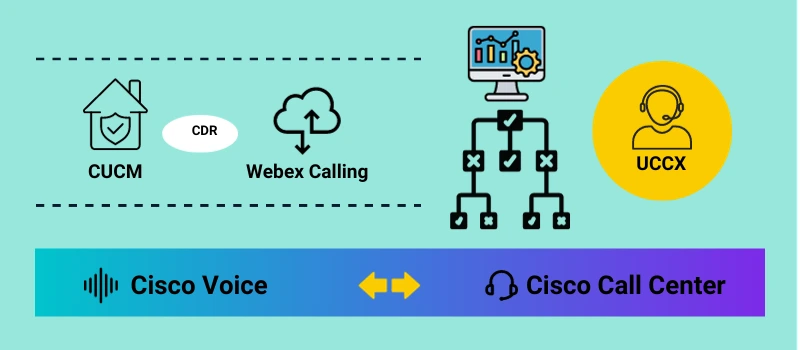
Every call processed by Cisco Unified Communications Manager (CUCM) generates structured telemetry. These records—Call Detail Records (CDR) and Call Management Records (CMR)—form the foundation of billing, capacity analysis, and technical troubleshooting in Cisco voice environments.
This page serves as a technical reference for the Cisco CDR format. It explains how CDR files are structured, what the most important fields represent, how CDR differs from CMR, and how engineers interpret raw CSV data generated by CUCM.
Cisco CDR vs CMR: Functional Differences
Although often discussed together, CDR and CMR serve different purposes and are generated under different conditions within CUCM.
| Feature | Cisco CDR (Call Detail Record) | Cisco CMR (Call Management Record) |
|---|---|---|
| Primary Function | Billing, Accounting, Traffic Analysis | Diagnostics, Quality of Service (QoS), Troubleshooting |
| What it Tracks | Who called whom, when, and for how long. | Jitter, Latency, Packet Loss, Codec usage. |
| Key Fields | callingPartyNumber, duration, origCause |
VarJitter, latency, pktsLost |
| Use Case | Cost allocation, employee productivity, capacity planning. | Diagnosing "choppy" audio, dropped calls, and poor voice quality. |
Pro Tip: You can have a CDR without a corresponding CMR (if diagnostics are disabled or the call was purely internal signaling), but effective troubleshooting requires both.
Understanding the Cisco CDR File Structure
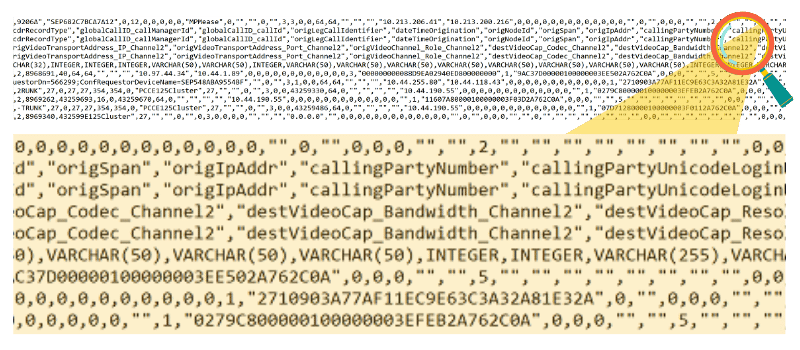
Cisco CDR files are exported as flat CSV files. Each row represents a single call leg, not a complete end-to-end call. Complex call scenarios—such as transfers, hunt groups, or conferencing—result in multiple rows that must be correlated.
The Anatomy of a CDR Line
A typical raw CDR line looks like this:
1, 12345, 98765, 1602345678, 120, 0, 16, ...Without a parsing tool, this is unreadable. Here is how those values map to human-readable fields:
cdrRecordType: Integer identifying if it is a Start (0), End (1), or CMR (2) record.globalCallID_callManagerId: Unique ID for the CUCM cluster node.dateTimeOrigination: Unix timestamp of when the call started.duration: Length of the call in seconds.origCause: The code explaining why the call ended (e.g., 16 = Normal Clearing).
Essential Cisco CDR Fields Explained
Identity and Routing Fields
These fields establish call intent and routing behavior.
callingPartyNumber– Originating directory numberoriginalCalledPartyNumber– Initially dialed numberfinalCalledPartyNumber– Destination that answeredorigDeviceName/destDeviceName– Endpoint identifiers
Differences between original and final called numbers typically indicate forwarding, hunt group routing, or call pickup behavior.
Timing and Answer Supervision Fields
dateTimeOrigination– Call attempt start timedateTimeConnect– Answer supervision timestampduration– Connected call length
If dateTimeConnect is zero, the call was never answered—even if it rang.
Termination Fields
Termination cause codes explain why a call ended and are critical for troubleshooting.
16– Normal clearing34– No circuit available41– Temporary failure
Using CMR Data for Voice Quality Analysis
CMR records augment CDRs by describing how media behaved during the call. They are essential when investigating complaints related to audio quality. If users complain of "robotic voice" or echo, look at these fields:
VarJitter
Measures variation in packet arrival. High jitter (>30ms) causes robotic audio.
latency
The delay in audio transmission. High latency results in "talk-over" issues.
pktsLost
Total voice packets dropped. Anything above 1% can severely impact clarity.
CMR data should always be interpreted in the context of the associated CDR call leg.
Operational Interpretation of CDR Data
Zero-Duration Calls
A zero-duration call does not necessarily indicate failure. It may represent an abandoned call, early disconnect, or signaling-only interaction.
dateTimeConnect = 0→ never answeredorigCause = 16→ caller abandonedorigCause ≠ 16→ potential network or routing issue
Hunt Group Call Representation
CUCM generates separate CDR rows for each hunt attempt.
Accurate analysis requires correlating rows using globalCallID_callId.
Frequently Asked Questions
Q: Where are Cisco CDR files stored?
By default, CUCM stores CDR files on the publisher node. They are typically pushed via SFTP to an external billing server or reporting solution (like Metropolis) for retention and analysis.
Q: What is the difference between originalCalledPartyNumber and finalCalledPartyNumber?
originalCalledPartyNumber is what the user dialed. finalCalledPartyNumber is where the call was answered. These differ if the call was forwarded, transferred, or routed through a Hunt Group.
Q: Can I generate CDRs for internal calls?
Yes, but the CdrEnabled service parameter in CUCM must be set to "True". Furthermore, for internal calls to generate a CMR (quality record), "Call Diagnostics Enabled" must also be set to "True".
Where to Go Next
This reference explains what the Cisco CDR format contains. The following deep dives explain how engineers extract meaning from it:


